Cannot Charge
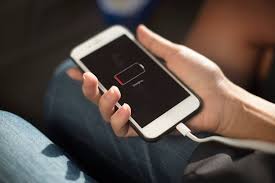
There are a few possible causes if your iPhone is not charging. You can attempt to fix the problem by following these steps:
- Clean the charging port: Frequently, debris, dust, or other particles can clog the port, making it impossible for your iPhone to charge. Try using a can of compressed air or a toothbrush with soft bristles to clean the port.
- Verify the adapter and charging cable: Verify that the adapter and charging cord are in good shape and are not broken. To find out if it fixes the issue, try using an alternative cable and adapter.
- Restart your iPhone: Restarting your iPhone may occasionally help fix problems with charging. To turn off your iPhone, do the following: hold down the power button until the "slide to power off" slider displays, then swipe. To turn it back on after it has been turned off, press the power button one again.
- Update your iPhone: Verify that the most recent version of iOS is installed on your device. Updating your iPhone can help fix charging problems that are occasionally caused by software flaws.
Please get in touch with Apple Support if none of the aforementioned fixes resolve the possible hardware problem that needs to be fixed on your iPhone. If your iPhone is still under warranty, get in touch with Apple Support, or bring it to an IRepair Center.
Summary of Why iPhone Cannot Charge
- Water Damage
- MotherBoard Hardware Issue
- Battery Faulty
- Charging Port Faulty
- Charger Faulty
- Charging Cable Faulty
- Charging Port Dirty